Welcome to our new series, where we run through various common questions our support team gets, along with the appropriate product features to handle them. Product features you may not be aware of.
Payment processing is a core functionality for allied health clinics, but it comes in many shapes and forms. Payment processing within BookedSolid is enabled through the Stripe integration, which can be set up in Settings > Account Setup > Payments, as outlined in our Payment Processing Feature Guide.
How to Process Payments For Select Appointment Types
So what if you want to process payments for just a select number of appointment types, but not for others? Maybe you have some appointment types for insurance patients?
Once you've connected your Stripe account and enabled the payments feature, you'll want to head to Clinic Setup > Appointment Types. Here you can see all the appointment types that are both enabled or disabled. For each of the enabled appointment types, you'll see a toggle at the bottom titled Take payment online.
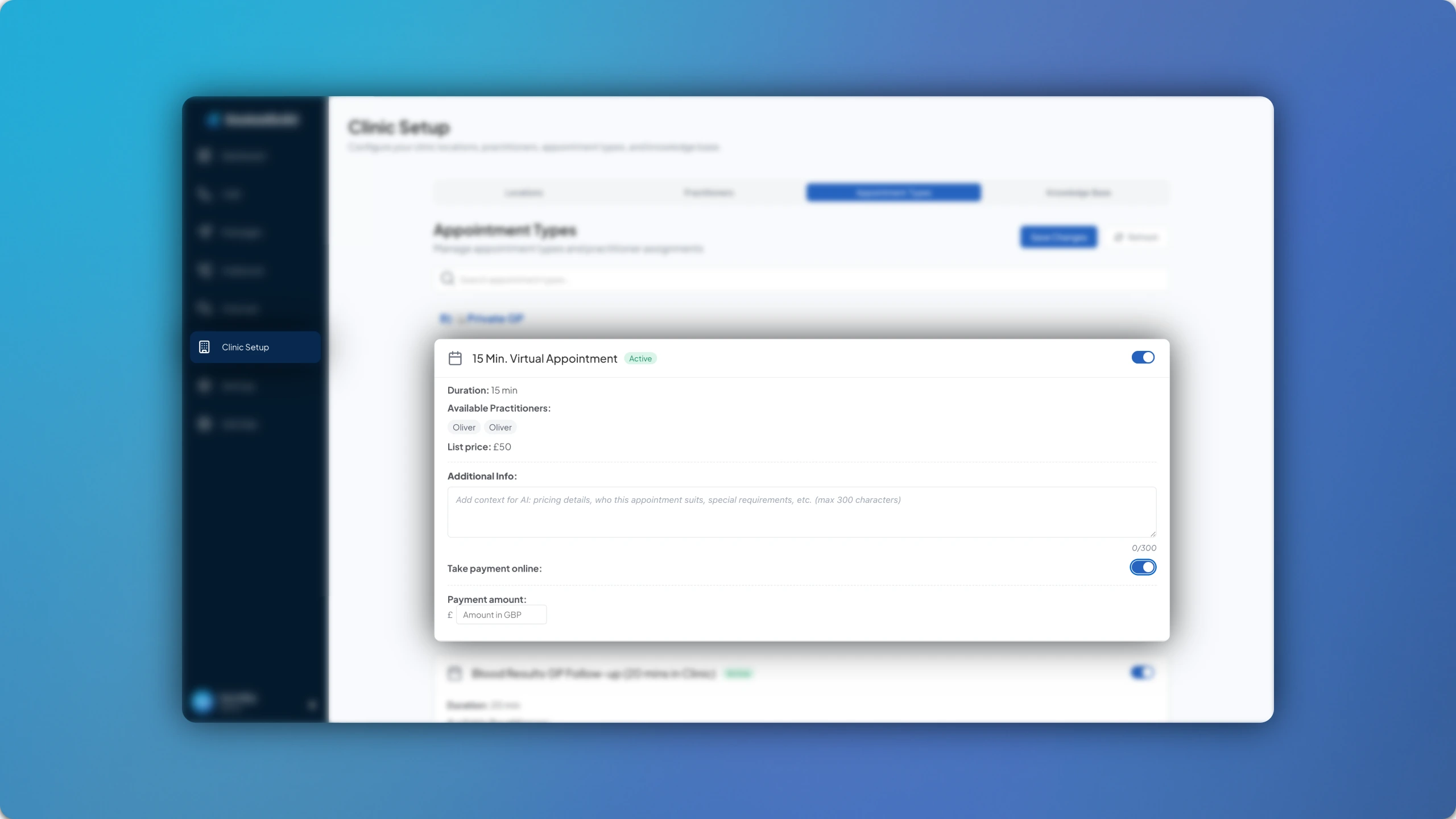
Simply enable this toggle and enter the price for the appointment type, in your domestic currency.
How to Process Deposits Versus Full Upfront Payments?
So you've got your payments running for specific appointment types, but what if you want patients to pay deposits as opposed to full payments? Or what if you want patients to pay deposits for just a select number of appointment types and full payments for the rest?
This part is really simple. You just need to edit the amount that you want patients to pay for each appointment type, whether it's a deposit or a full payment.
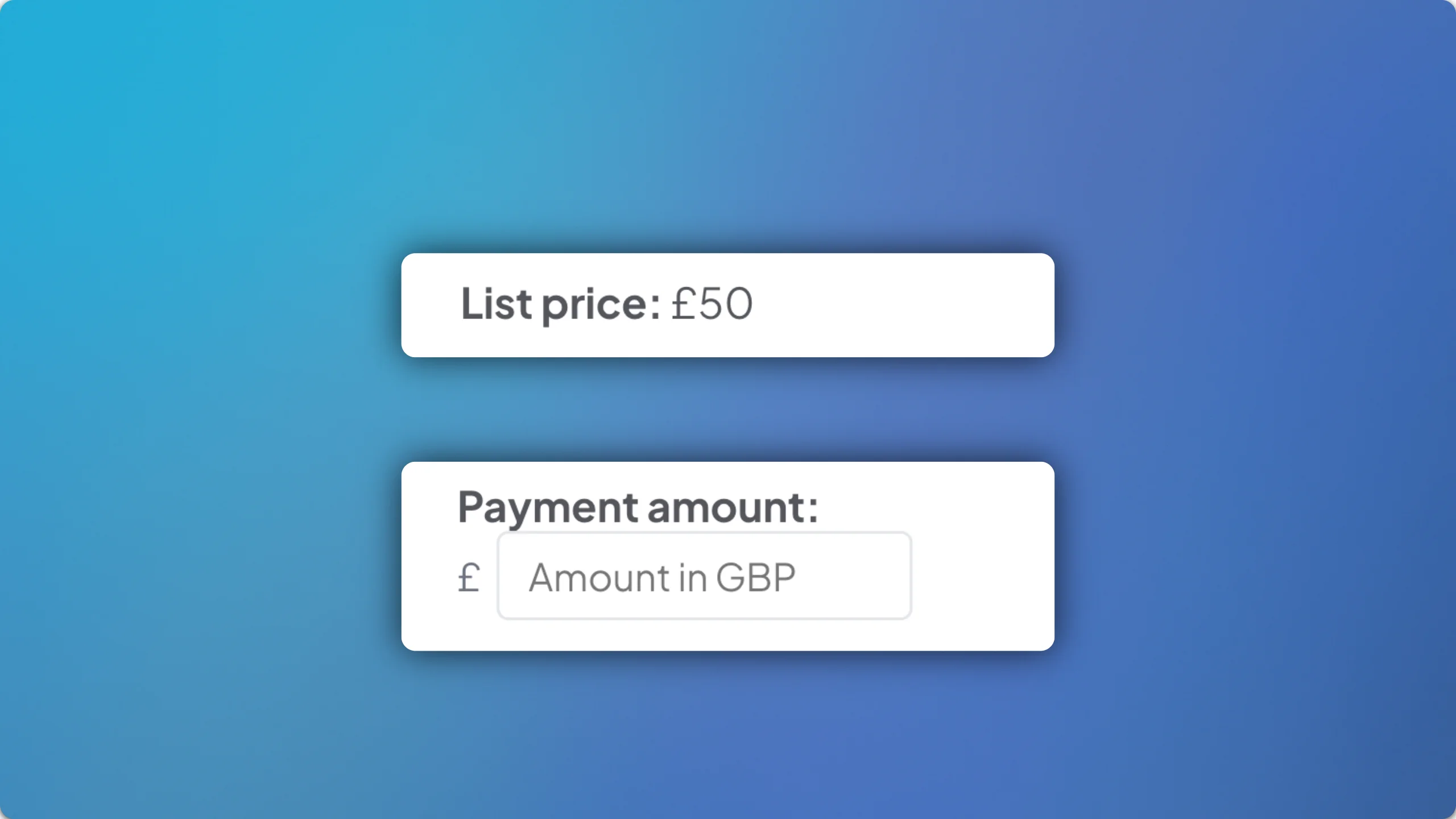
The full pricing for the appointment type is also pulled from the Practice Management System integration, which means the AI will know whether the price you previously entered for payment processing is a deposit, or a full price, which the patient can be informed about.