Last minute cancellations are a pain point for nearly all clinics, as they leave gaps in the schedule which cause lost revenue. Often, there will be other patients interested in those times, but given the last minute nature of the cancellation, filling them remains a challenge.
This is where the automated Waiting List feature comes into play.
With the Waiting List feature enabled, the AI will always offer a slot on the waitlist if the appointment requested by the patient is unavailable or fully booked. In the event of a last minute cancellation, the AI will immediately contact the patient on the waitlist and offer them the newly available appointment.
How to Configure Automated Patient Waitlists
The basic setup for automated follow-ups can be done in Outbound > Create Automatic Instance > Waiting List Callbacks with the full configuration outlined in our Waiting List Feature Guide.
Once you have finished setting up your first Waiting List instance for the appropriate appointment types, you're all set. Patients will be able to automatically join the waitlist for any unavailable appointments and will be contacted in the event of a last minute cancellation, ensuring no revenue is lost for the clinic.
You can create new instances to run across different channels (calls/SMS) as well as different appointment types.
How to Manually Add Patients to the Waitlist
You can also add patients to any Waiting List instance manually, for example if the patient has expressed interest in an unavailable appointment time, but not via the AI.
When you have an instance enabled, the Manual Waitlist Management tab will appear at the top of the page.

Simply click Add to Waitlist and you'll be able to enter the following details on behalf of the patient:
- Patient Phone Number
- Location (if applicable)
- Service/Appointment type
- Practitioner
- Preferred Time Window
You can then complete the Waiting List entry by clicking Add to Waitlist.
How to Check Your Current Waitlists
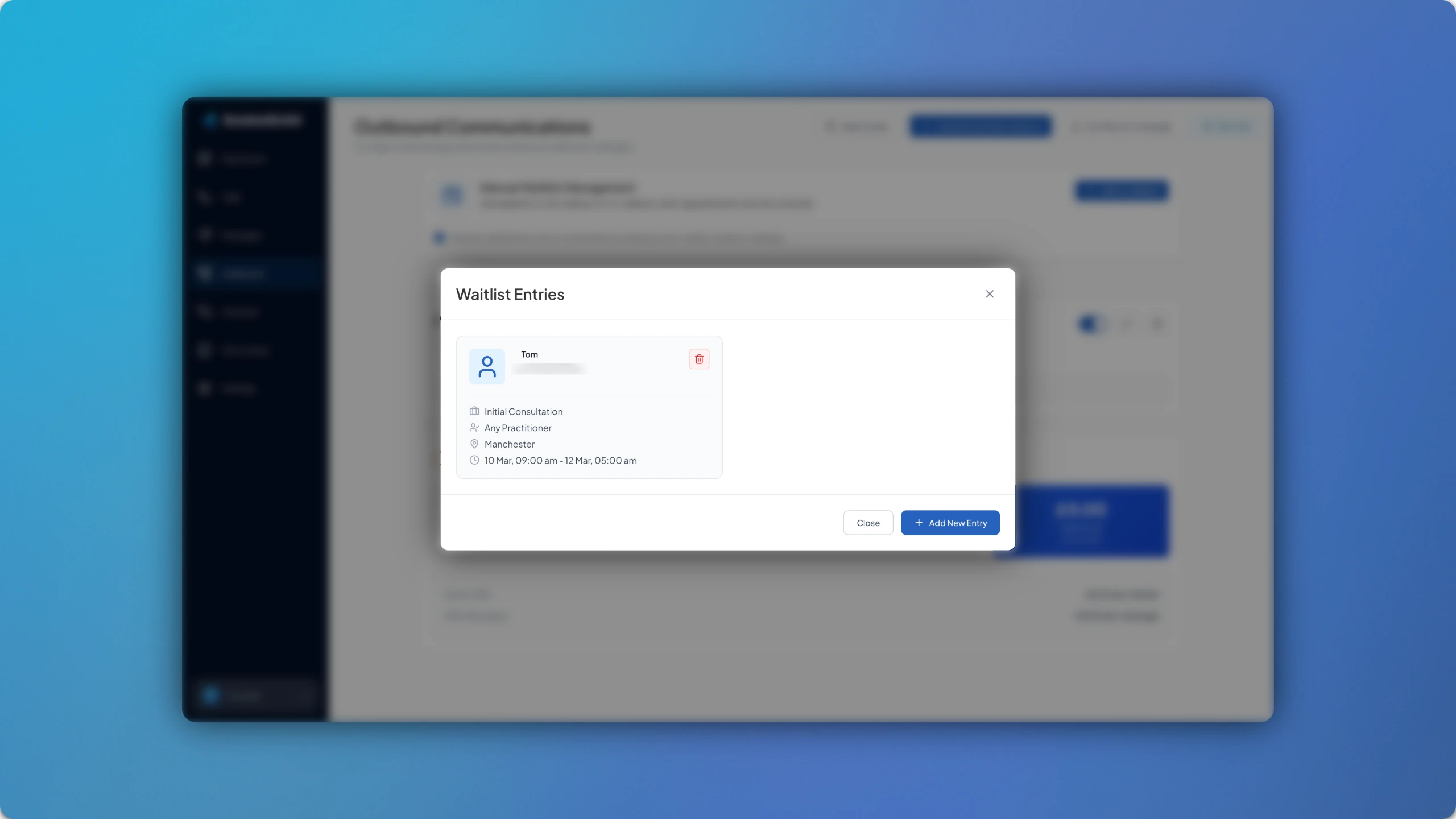
At any time, you can view the list of patients on a Waiting List by proceeding to add a patient manually. Before you enter the details, you will see all the current patient entries, along with the appointment type, practitioner, location and date/time ranges that they are waiting for. You can also delete any here if needed.
The Waiting List feature is a core part of optimising appointment scheduling within the clinic, ensuring that cancellations don't result in additional administration or lost revenue.